Find Autodesk Forma projects and manage members
Open DiBlueConnector > Management and select the environment to manage. For Autodesk Forma, choose Autodesk Construction Cloud, then the Hub. The list shows projects your account can access under a hub where the DiRoots APS integration is authorised.
| Column | Information |
|---|---|
| Type | Project platform: ACC or BIM360. |
| Name | Project name. |
| Classification | Production project or Project Template. |
| Actions | Available project commands, including Manage Members. |
Use Search to find a project. Under Filter, choose Classification: All, Production or Template and apply the filter. Use Create > New ACC Project to add a project.
Manage project members
1. Find the project and choose Actions > Manage Members.
2. Review Current Members. The list shows each member’s name, status, access level and assigned products. Use its search box to find a member.
3. To invite a member, enter the email address under Invite Member, choose an Access Level, select Products, and click Send Invite.
4. To remove a member, use the remove control beside that member in the current members list.
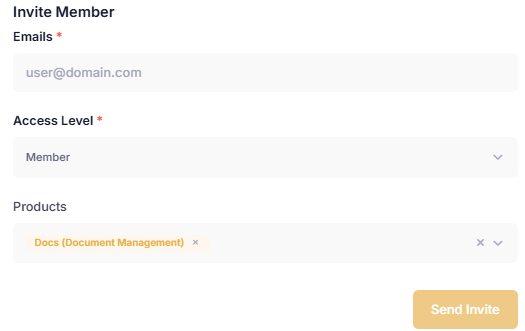
Assign an access level and products when inviting an ACC project member.
The actions you can complete depend on your project permissions.
Management workflow